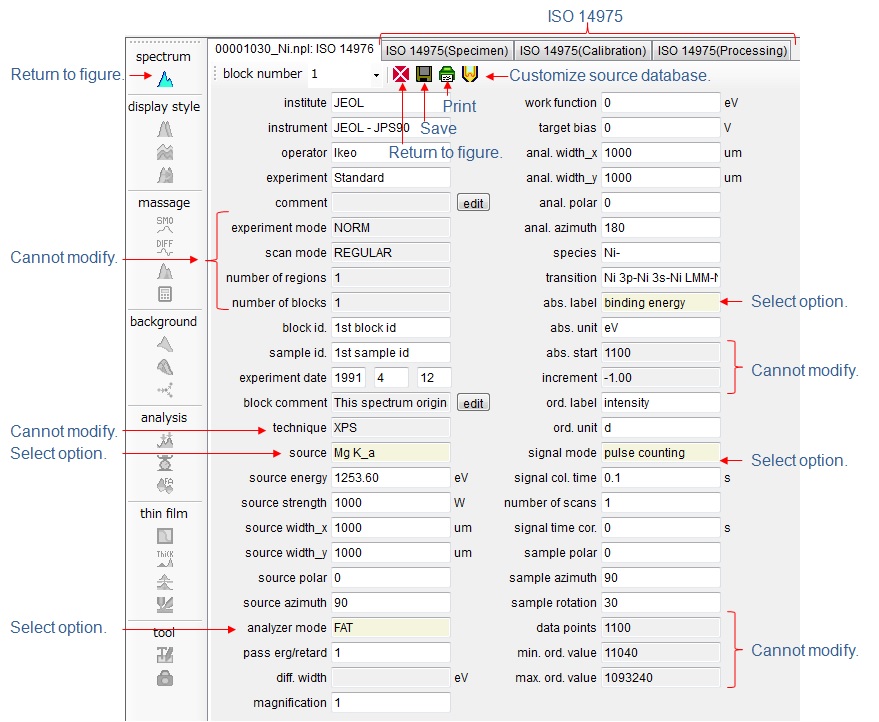
Information
By clicking  in
the tool menu bar at the left corner of screen, the ISO information of
displayed file is shown. Items (except some items (pale gray background
color) can be modified in this screen. Some items with beige background
color have selection options. Click text box, then selection option
appears.
in
the tool menu bar at the left corner of screen, the ISO information of
displayed file is shown. Items (except some items (pale gray background
color) can be modified in this screen. Some items with beige background
color have selection options. Click text box, then selection option
appears.
Energy
scale of XPS spectrum
If the abscissa label of XPS
spectrum is [kinetic energy], COMPRO may not process XPS spectrum properly.
COMPRO recommends to change [kinetic energy] to [binding energy]
of abscissa label. Click [abs. label] text box, and select [binding
energy] option, and change [source energy]. Do not change [abs.
start] and [increment], because they are automatically changed when the
modified data is stored.
Once the abscissa label has
been changed to [binding energy] from [kinetic energy], the abscissa
values cannot be changed hereafter. However, if [source] is [synchrotron],
the source energy change can be reflected to the abscissa values.
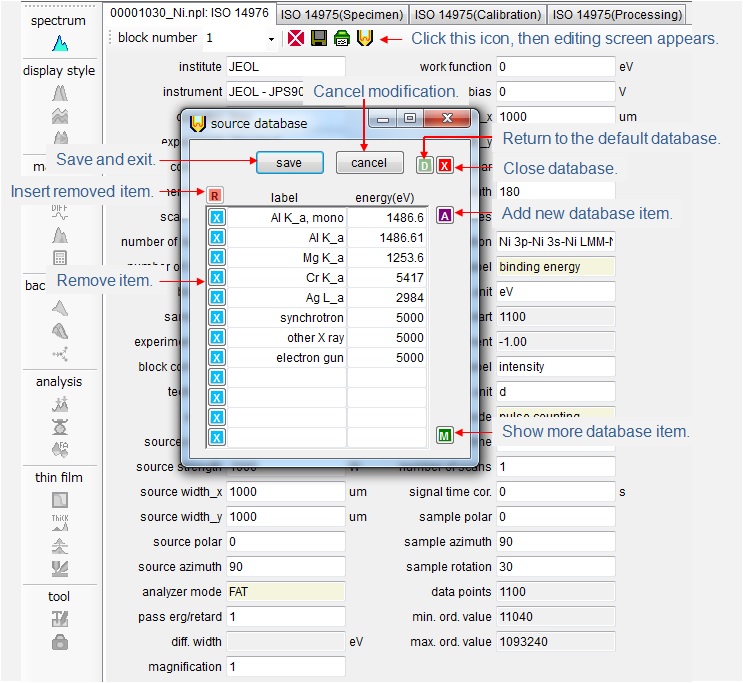
Customize
source database
COMPRO provides an option menu
for a source label and energy, and users can select a source label and
energy from the combo box. However, users can modify this option
menu by clicking  icon in tool menu bar. The
modification of the database will be reflected to the combo box menu.
icon in tool menu bar. The
modification of the database will be reflected to the combo box menu.